Tuesday, 29 September 2015

PHOTOGRAPHY

In this semester I took photography class. I have learned a lot about how to capture a beautiful picture using Digital Single Lens Reflex (DSLR). 

Definition:  
Photography is the science, art and practice of creating durable images by recording light or other electromagnetic radiation, either electronically by means of an image sensor, or chemically by means of a light-sensitive material such as photographic film. 


   Place: Temple
    Aperture: f/3.5
                Shutter Speed: 1/125s 
ISO: 200


    Place: Orchid garden 
Aperture: f/5.6
     Shutter Speed: 1/100s
ISO: 200


    Place: Suria KLCC 
Aperture: f/5.6
      Shutter Speed: 1/25s 
ISO: 1600


    Place: Suria KLCC 
Aperture: f/5.6
      Shutter Speed: 1/2s
 ISO: 200


    Place: Studio
        Aperture: f/5.6
                 Shutter Speed: 1/30s
 ISO: 1600


    Place: Studio
       Aperture: f/5.6
                 Shutter Speed: 1/30s
ISO: 1600


    Place: Studio
        Aperture: f/5.6
                  Shutter Speed: 1/13s
ISO: 1600


    Place: Studio
       Aperture: f/5.6
                 Shutter Speed: 1/13s 
ISO: 1600


    Place: Studio
       Aperture: f/5.6
                 Shutter Speed: 1/25s 
ISO: 800


    Place: Studio
        Aperture: f/5.6
                  Shutter Speed: 1/25s 
ISO: 800


    Place: Studio
        Aperture: f/5.6
                  Shutter Speed: 1/30s
 ISO: 1600


    Place: Studio
       Aperture: f/5.6
                 Shutter Speed: 1/30s
ISO: 1600

Saturday, 12 September 2015

DIGITAL ILLUSTRATION: 3D TYPOGRAPHY

We've been given a task to create 3D typography by using AI and Photoshop. I choose capital 'G' to change it to a 3D typography. My concept is about a floating field.  There' s so much of painting works to be done in this task. 

First, I used Adobe Illustrator to create my 3D typography.


After used Adobe Illustrator, I continued edited my 3D typography at Photoshop to create the shadow.


3D TYPOGRAPHY 


 Finally, I done my 3D typography and have 2 type. One is normal, other is floating island.


Friday, 14 August 2015

DIGITAL ILLUSTRATION: MATTE PAINTING

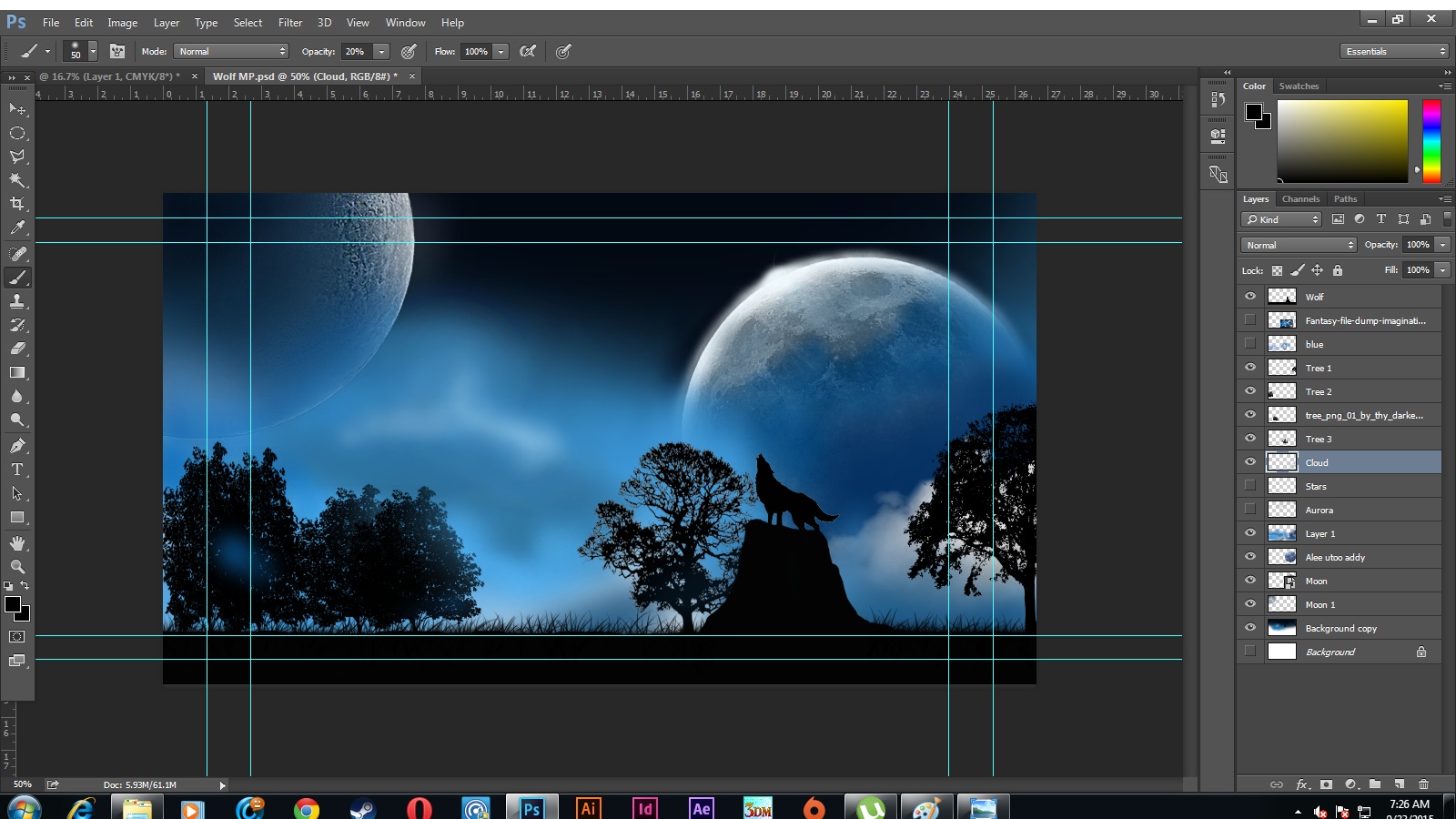
Matte painting is a painted representation of a landscape, set, or distant location that allows filmmakers to create the illusion of an environment that is nonexistent in real life. In Matte painting, there are 50% for EDIT and 50% for PAINTING.

So, we have to create our own Matte Painting and go online search some picture to put into edit. MY IDEA is I want to create nightscape.

1. I research some picture and choose some that i want.


2. After research, I start my matte painting with put the subject for my nightscape. 


    3. Then I create the background for my matte painting using a suitable brush. For 
        background, I choose blue color.

4. After that, I try to make all of the light or shadow more perfect more details and more 

    nature.


5. To make my matte painting more nature, I create some smoke at the tree and sky.


6. Then, to make it look like nightscape, I create the stars using a suitable brush. 


7. Finally, I done my matte painting. 


Monday, 13 July 2015

DIGITAL ILLUSTRATION: PORTRAIT

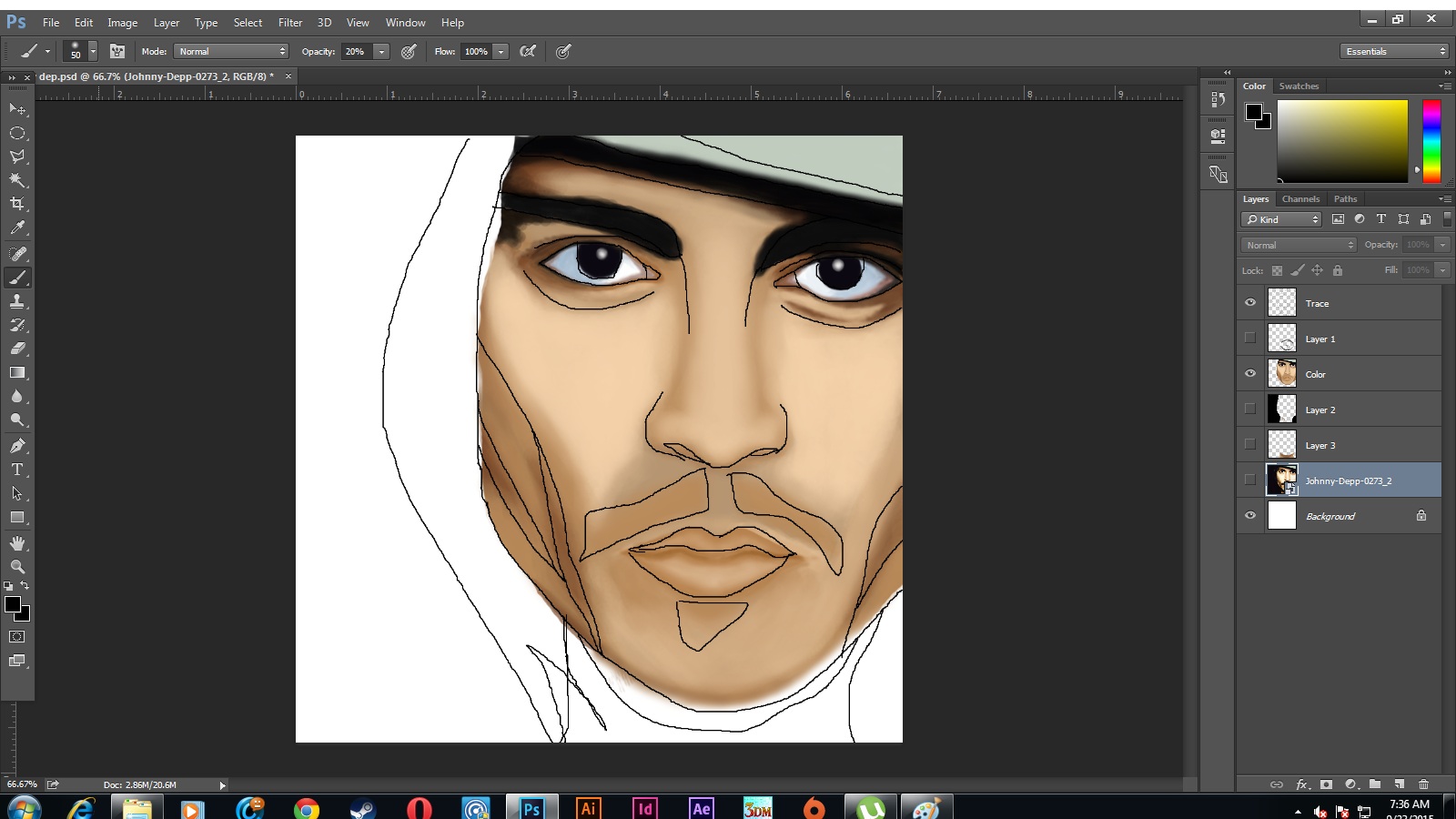
For the second assignment, our lecturer want us to choose a portrait from internet and use complementary color to paint it as digital painting.

The objective of this assignment is lecturer want us more understand about the detail example ( where is shadow, where is highlight, where is brightness). In the progress, we also have use value that we learn before. 


1. Choose a portrait picture from internet. ( i choose Johnny Depp as my PORTRAIT )


2. After that , use small size brush to draw the outline of the portrait. This is for make sure we 
    will more accurate and easily paint the portrait


3. Then, use medium of blue color as the base of face color. Next, I paint the base color. After 
     that, I paint the face using medium color.Then, I paint using dark color to show the detail.


4. Then, I add dark color to show the hair part and add up light color on the dark part to make 
     hair detail.  


Done!